
Problem Statement
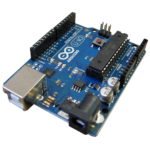
There is a need for a device that we can install on older cars to act as a backup sensor. I plan to make a circuit that uses a distance sensor to tell an Arduino to give some kind of alert to let the driver know that there is something behind them.
Brainstorming list
- Led- Could blink to tell the person before they hit something
- Buzzer- Could make noise to tell people before they hit something
- LCD- readout text about how far you are from something
- Slide switch- could be used to disable buzzer if it’s annoying
- RGB- led change color based on how far you are from an object
- 7 Segment display – could give a distance readout
- Distance sensor- to well sense distance
Solution and design sketch
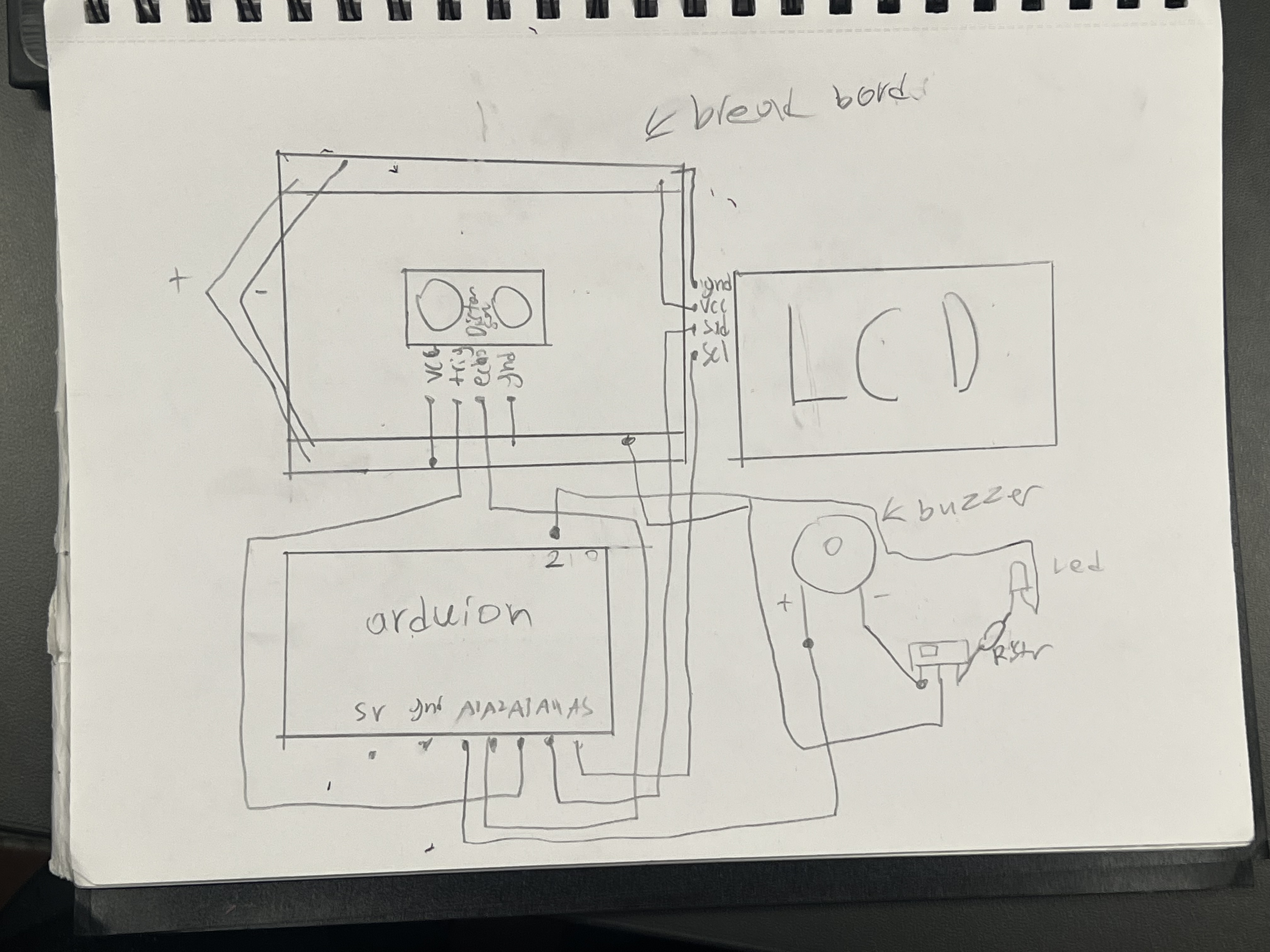
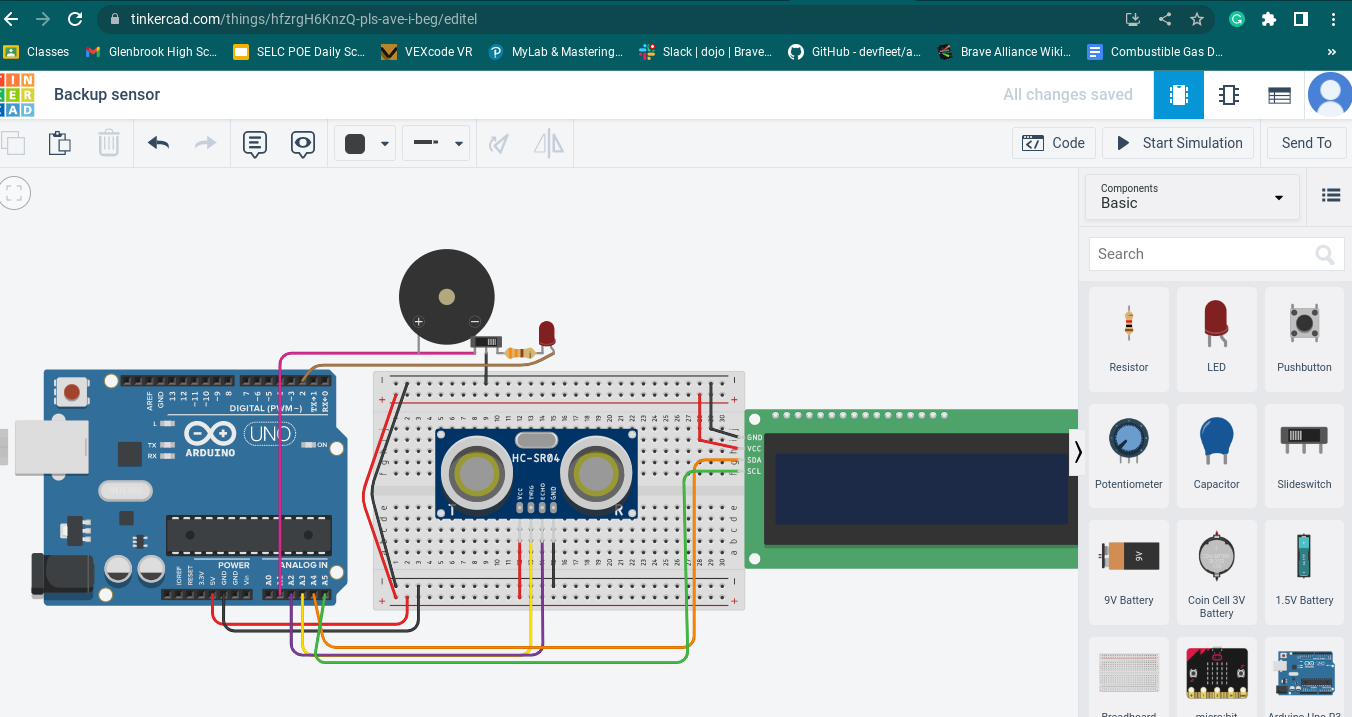
The system works by using a distance sensor to measure the distance from the back of the car to an object and sends that information to the Arduino which tells The LCD to display either Go, Object detected, or STOP NOW. If the stop now code is triggered it flashes the LED on and off and tells the buzzer to make noise it also flashes STOP NOW on the LCD. There is also a slide switch that let’s us choose between an audible alert of the LED.
Circuit and code
Code
// C++ code
//
include
Adafruit_LiquidCrystal lcd_2(0);
long readUltrasonicDistance(int triggerPin, int echoPin)
{
pinMode(triggerPin, OUTPUT); // Clear the trigger
digitalWrite(triggerPin, LOW);
delayMicroseconds(2);
// Sets the trigger pin to HIGH state for 10 microseconds
digitalWrite(triggerPin, HIGH);
delayMicroseconds(10);
digitalWrite(triggerPin, LOW);
pinMode(echoPin, INPUT);
// Reads the echo pin, and returns the sound wave travel time in microseconds
return pulseIn(echoPin, HIGH);
}
void setup()
{
lcd_2.begin(16, 2);
Serial.begin(9600);
pinMode(2, OUTPUT);
pinMode(A1, OUTPUT);
}
void loop()
{
Serial.println(0.01723 * readUltrasonicDistance(A3, A2));
if (0.01723 * readUltrasonicDistance(A3, A2) <= 50) {
lcd_2.clear();
lcd_2.print(“STOP NOW”);
digitalWrite(2, HIGH);
tone(A1, 523, 1000); // play tone 60 (C5 = 523 Hz)
delay(500); // Wait for 500 millisecond(s)
digitalWrite(2, LOW);
noTone(A1);
lcd_2.clear();
delay(500); // Wait for 500 millisecond(s)
} else {
if (0.01723 * readUltrasonicDistance(A3, A2) <= 100) {
lcd_2.clear();
lcd_2.print(“Object detected “);
delay(1000); // Wait for 1000 millisecond(s)
lcd_2.clear();
delay(1000); // Wait for 1000 millisecond(s)
} else {
lcd_2.clear();
lcd_2.print(“Go “);
}
}
}
Evaluation of Solution
I think my solution worked very well and there isn’t much that I would change about it maybe make the sound from the buzzer a bit more noticable and possibly add a way to have both the LED and the sound on at once.
[youtube https://www.youtube.com/watch?v=gVEOXiU2evk&w=560&h=315]